Veteran Mobile App
A convenient way to access your account.
 |
 |
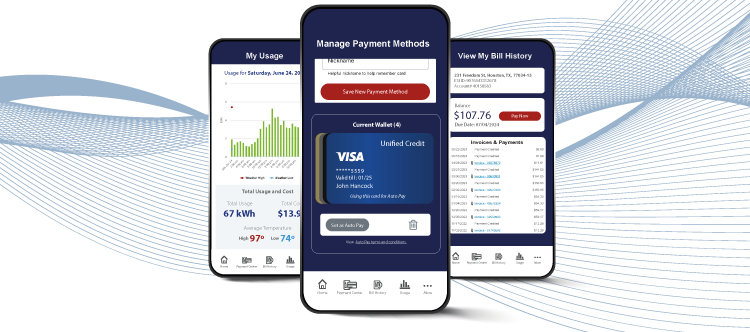
The Veteran Energy mobile app makes managing your account so easy. Get important information about your account on the go. Keep tabs on your usage and more!
- Track your electricity usage
- View your bill
- View payment history
- Make payments
- Add and delete payment methods
- Set up or change AutoPay method
- Review your plan details
- Renew your plan
- Transfer your service
- Find contacts for power outages
- Have access to common FAQs
Yes, you will need your Veteran Energy MyAccount login information (email and password) to use the app. If you do not have a Veteran Energy MyAccount, please go to account register to create your account.
If you use one MyAccount login for multiple addresses, you will see all your service addresses when at the top of the page when you log in. Just tap on the account you want to review. Customers with multiple accounts under separate MyAccount logins will have to log in separately using the email and password for each account
The Usage icon can be found on the home dashboard, main navigation bar, and main menu. This takes you to your usage dashboard where you can review and compare monthly, weekly, and daily usage. The Usage and Cost Summary, located under the Usage graph, provides projected usage and bill information. (Note: This tool is only available to smart meter customers.)
Need more information?
VIEW ALL MOBILE APP FAQs